
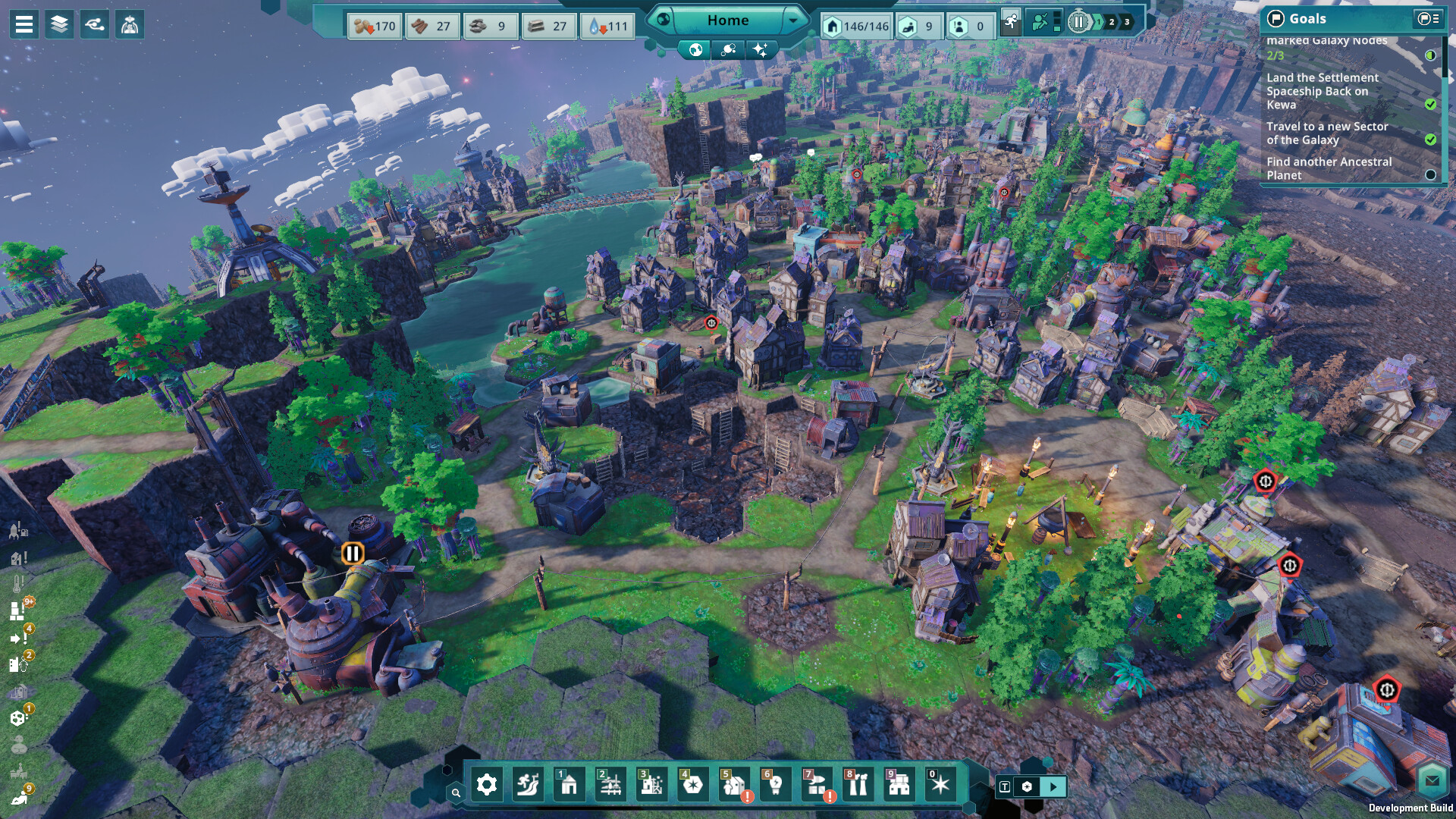
The 16-tile work radius
The official wiki states that Peeps choose a workplace near their home, no more than 16 tiles away. They can walk further to fetch or deliver resources, but they will not work beyond that radius. Selecting a home shows the area its residents can work in.
This is the most common reason a new production building stays empty. It often happens when you place a mine or farm on a good resource tile far from town. The fix is to build homes beside the new workplace, not to add more homes back in town.
Check inputs and full outputs
A building that looks unstaffed may actually be waiting. It only starts a task when its inputs are present and every output, including by-products, has room. The official wiki gives the example of a Woodcutter that stops because it is full of Wood Waste, not Wood.
Select the building and read its status before adding workers. If an input is missing, trace it back to its producer and check that building the same way. If an output is full, add storage nearby or a building that uses it.
Pollution and Toxic ground
Pollution that builds up on tiles can turn them Toxic. Community guides report that Peeps avoid crossing Toxic areas, which can cut workplaces off from their workers. Hotfix #1 also fixed building moves that got stuck when a Peep’s home was covered in Toxic.
Plant forests around polluting buildings and research the Cleaner early. Our pollution and Cleaner guides explain placement. Moving a polluting building away from homes is often quicker than cleaning around it.
Unhappiness and strikes
The official wiki says Peeps spend happiness during work shifts and restore it by relaxing on breaks. If their needs are not met, they may refuse to work. Community guides report a strike when more than 40% of Peeps are unhappy, lasting several shifts or until their demands are met.
Look at the Goals panel during a strike, because demands are listed there. Food, water and short walks to supplies matter most early on. The official wiki notes that keeping Water Pumps close to homes keeps the settlement efficient and Peeps happy.
Shifts and job priorities
All Peeps in a population work and take breaks at the same time, so a whole town can look idle during a break. The Peep Information Bar shows idle workers, job openings and labour priorities in one place. Raise the priority of a stalled job there before building a second copy of it.
Longer shift settings raise output but cost Peeps more energy, and hot or cold tiles add to that cost. Use them for short pushes, then switch back before happiness collapses. A tired, unhappy town is slower than a rested one.
Still stuck after checking everything?
The hotfixes so far do not mention a general idle-worker bug. Saving and reloading is harmless and worth trying once. If the problem continues, report it on the official Steam discussions with your save.
One Steam reviewer who hit idle Peeps on day one restarted and found the second settlement worked normally. That usually points to layout rather than a bug. Rebuilding homes beside the empty workplace is the first thing to try.
Sources & research scope
Game information on this page comes from the sources recorded in the dated research. Publisher-hosted wiki entries are community-maintained, and review judgments remain attributed to their writers. Planning advice applies those documented systems and does not claim personal playtesting.
- Peeps — Beyond These Stars Official WikiWork radius of 16 tiles from home, shifts, breaks and happiness.
- Storage — Beyond These Stars Official WikiBuildings pause when an output or by-product slot is full.
- Water Pump — Beyond These Stars Official WikiShort walks to pumps keep Peeps efficient and happy.
- ProdigyGamers beginner’s guideCommunity guide: strikes, shift energy and the Peep Information Bar; October 18, 2026.
- Beyond These Stars news on SteamHotfix #1–#3 change lists.